Web UI
Snapback includes a small local web UI for status, history, configuration and setup. It serves only the pages described here.
Opening it
snapback webstarts the UI. Add--opento also open it in a browser when a desktop session is present.snapback configstarts the same UI and goes to the Setup page.
The server listens on loopback only and refuses any other listen address. The default is
127.0.0.1 on a random port. Each run creates a one-time token and prints a URL of the form
http://127.0.0.1:PORT/auth?token=.... Opening it exchanges the token for a session cookie
and redirects to /, so the token leaves the address bar. The token works once. The same
URL is written to web.url in the state directory (mode 0600) and removed when the server
stops.
Every page has the same navigation bar: History, Status, Config, Integrations and Setup.
Status
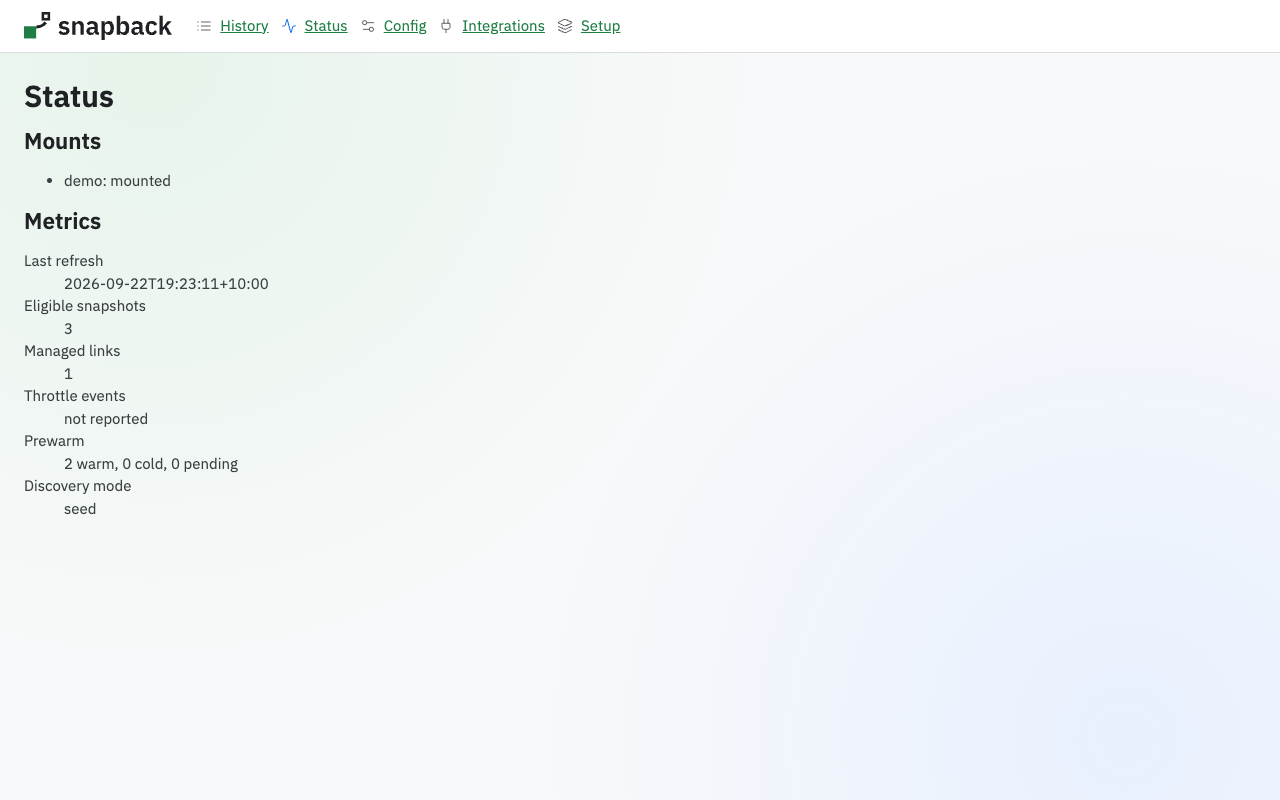
The Status page shows the daemon's mounts with their state, then these metrics. A metric the daemon does not report shows "not reported".
| Field | Meaning |
|---|---|
| Last refresh | when the daemon last refreshed its snapshot view |
| Eligible snapshots | how many Restic snapshots match the configured roots and filters |
| Managed links | how many .snapshot links Snapback manages |
| Throttle events | how many reader throttle events the daemon has recorded |
| Prewarm | snapshots counted as warm, cold and pending |
| Discovery mode | how .snapshot links are created, for example seed |
History
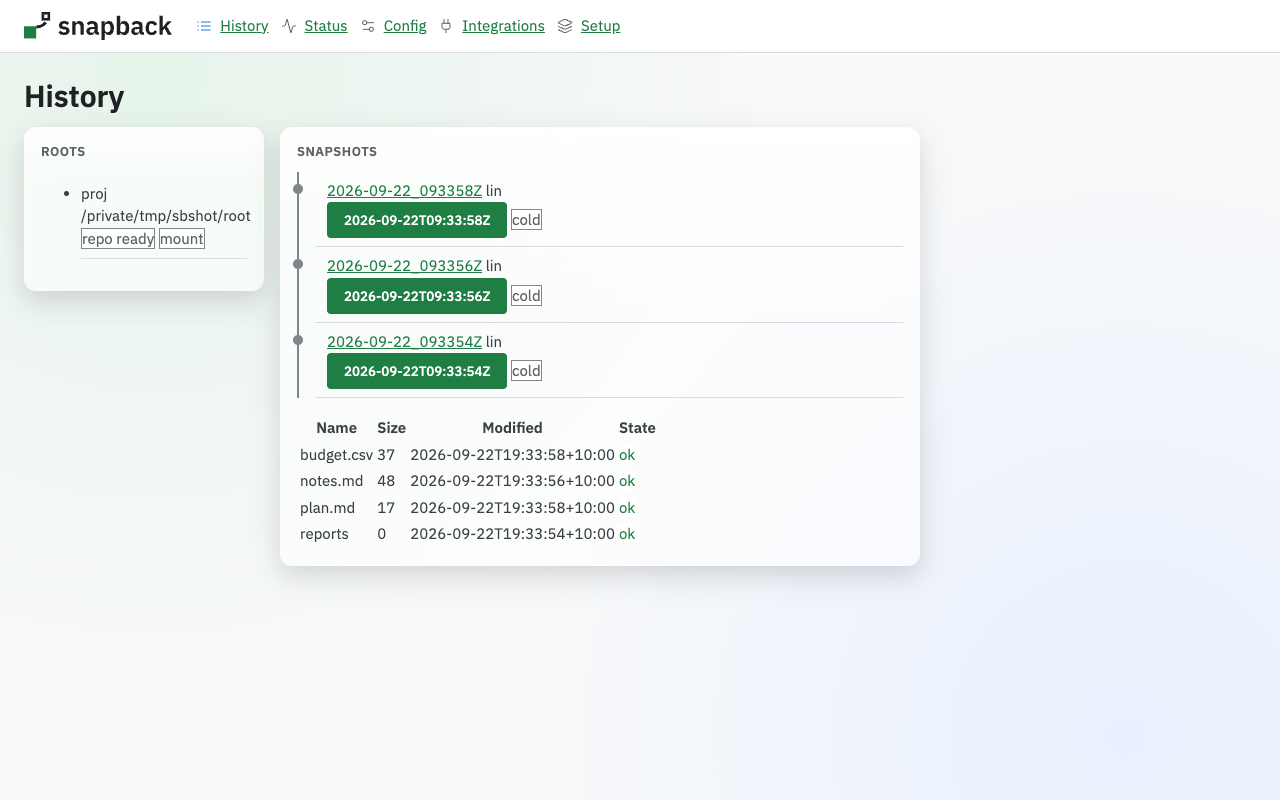
- Pick a root in the Roots panel. Each root shows its path and the repository and mount state.
- Pick a folder. The folders under the root that have a
.snapshotlink are listed. - The Snapshots timeline lists the snapshots of that folder newest first, with the snapshot name, host and time. Each is marked warm or cold.
- Pick a snapshot to see its files: name, size, modified time and state. A file that is missing in that snapshot shows "absent", and one that could not be read shows "read failed".
When a file is selected, a Versions panel lists its versions. Versions with the same size and modified time are marked "likely identical". Each version has two actions.
- Download streams that version of the file to your browser.
- Restore copy next to original copies that version into the live folder beside the
original. The copy is named with the snapshot's date, for example
plan (2026-09-19).txt. If that name is taken, a number is added, as inplan (2026-09-19) 2.txt. An existing file is never overwritten, and the copy is created with mode 0600.
Open in file manager opens the folder in the host file manager.
Configuration
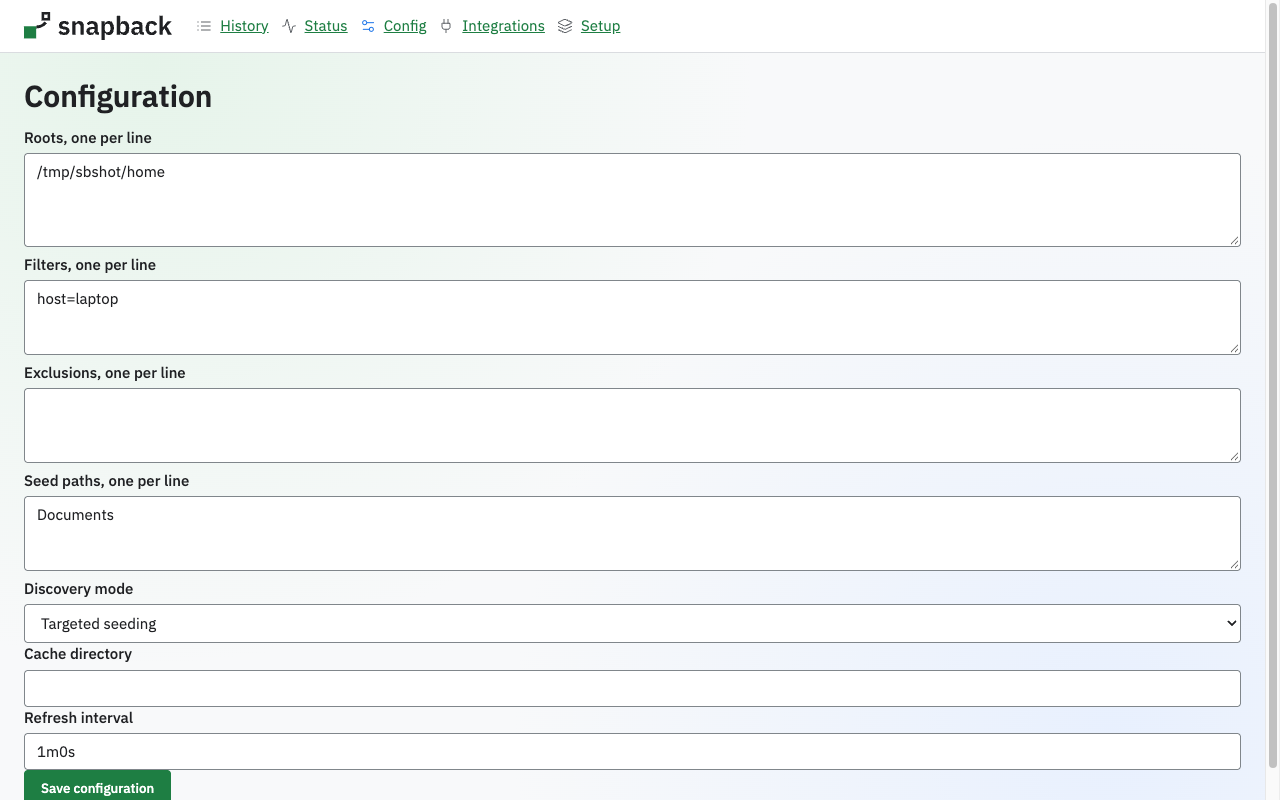
The Configuration page edits the roots, filters, exclusions and seed paths (one per line),
the discovery mode, the cache directory and the refresh interval, filled from the current
configuration. The Save configuration button posts the form to /config, which writes
the configuration file under the revision the page was loaded with: it redirects back with
a "Saved." notice, or re-renders the form with your values and the reason it was rejected,
including when the file changed underneath you. See
Configuration for every key.
Setup
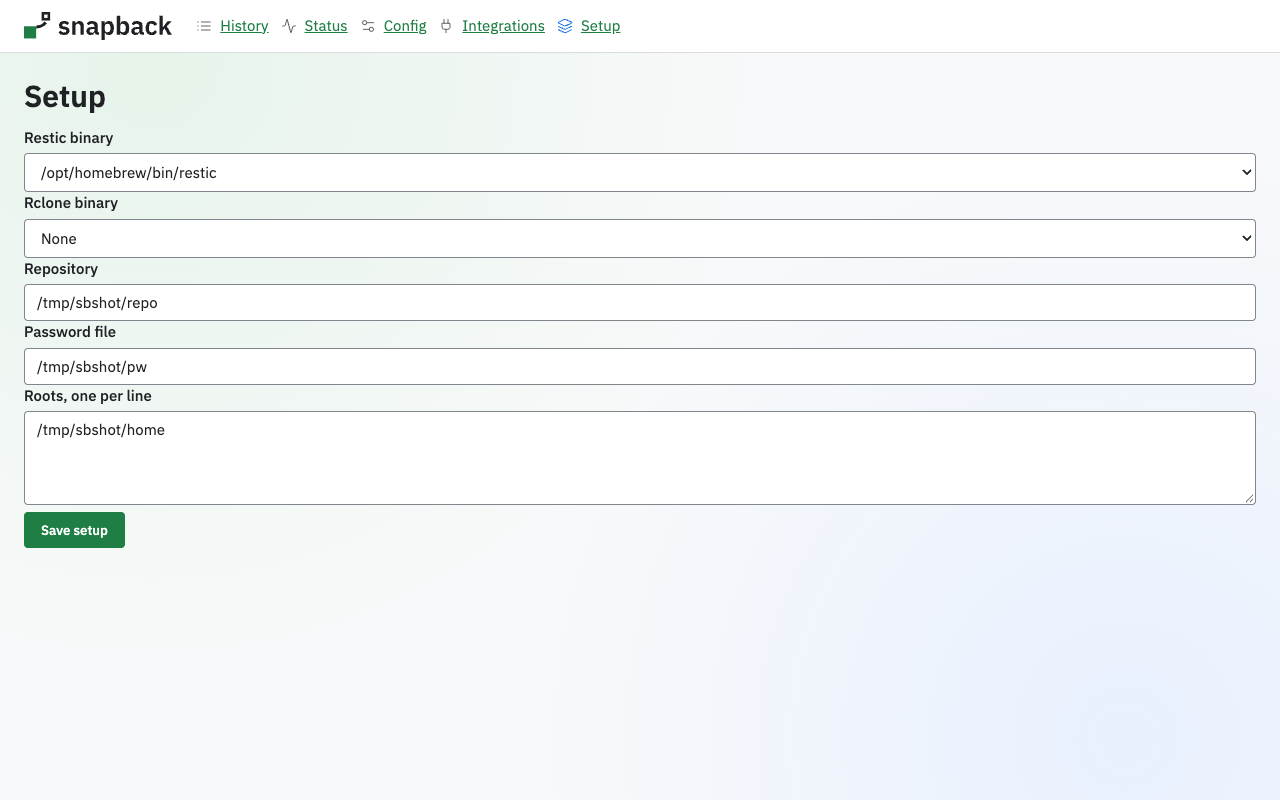
The Setup page picks the Restic binary and, if one is used, the Rclone binary, then takes the
repository, the password file and the roots. The Save setup button posts the form to
/setup, which checks the repository and then writes the configuration file, and sends you
to the Status page. Every key is described in Configuration.
Security
- Loopback only. The server binds only to a loopback address.
- Host check. A request whose
Hostis not the bound loopback address and port is refused with 421. - Origin check. A write (any method other than GET, HEAD or OPTIONS) with an
Originother than its own host, or aSec-Fetch-Siteother thansame-originornone, is refused with 403. - Session. Every page and API route needs the session cookie from the one-time token.
The cookie is
HttpOnlyandSameSite=Strict. - CSRF. Every write must carry the session's CSRF token, or it is refused with 403.
- Paths. The root must be one of the configured roots, and a path must be local to it.
Absolute paths,
..and NUL bytes are refused. - No arbitrary file read. Download and restore open files through the snapshot
directory with
os.OpenRoot, so..and symlinks cannot leave the snapshot, and only regular files are served. Restore writes through the live root the same way. - Headers. Responses set
X-Frame-Options: DENY,X-Content-Type-Options: nosniffandReferrer-Policy: no-referrer.